3D Warehouse for Business Central
App for Microsoft Dynamics 365 Business Central · Publisher: Abadyn · Warehouse · Logistics · Management
EXTENSION · DEPLOYED IN YOUR ENVIRONMENT · LIVE DEMO
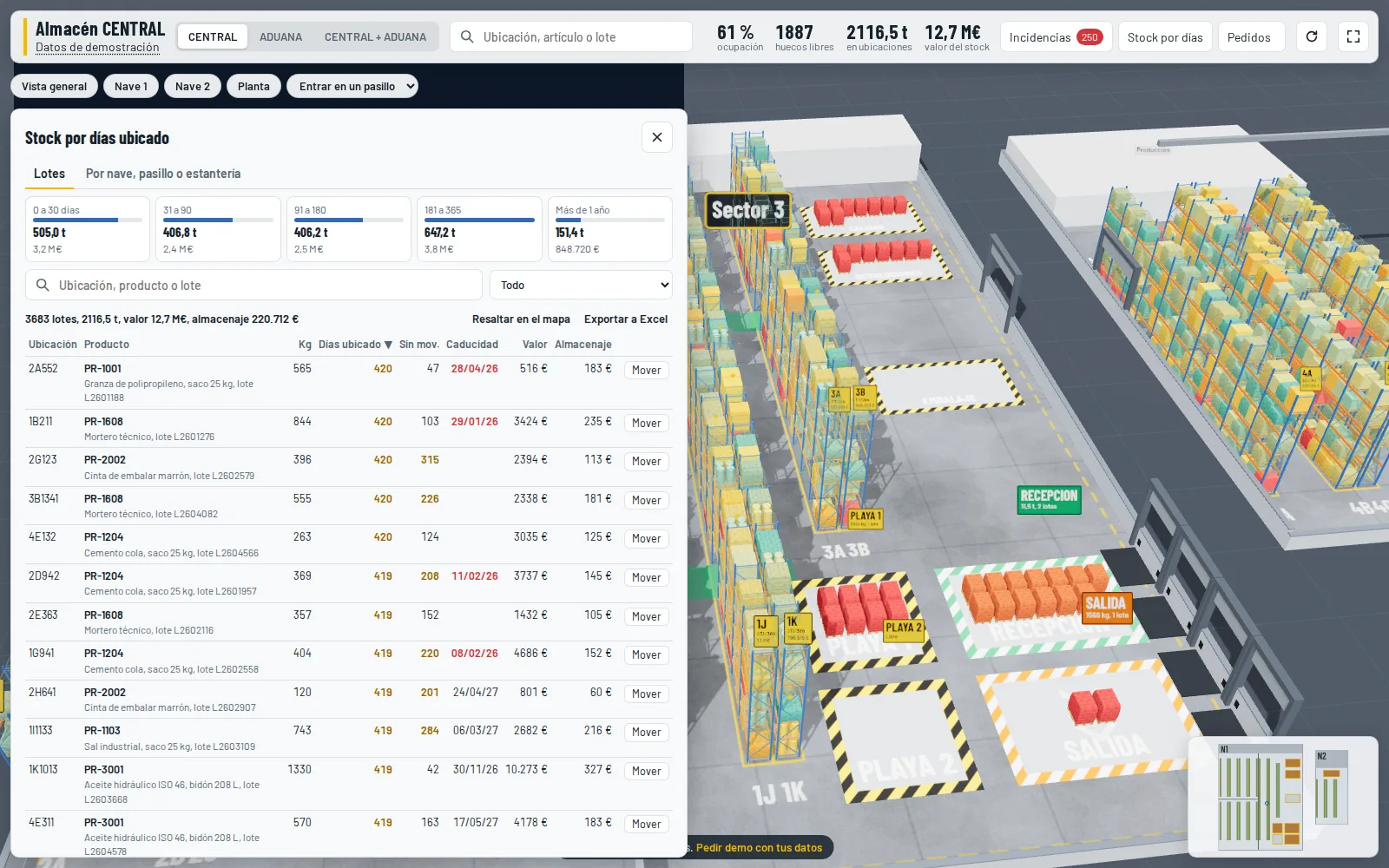
Your warehouse in 3D, inside Business Central. Every bin shows what is really there according to warehouse entries: item, lot, kilos, days in stock and expiry. From the same map you pick orders with a guided route, move stock, and management sees stock value per rack.
Try the demo · Request a demo or quote
Try it now
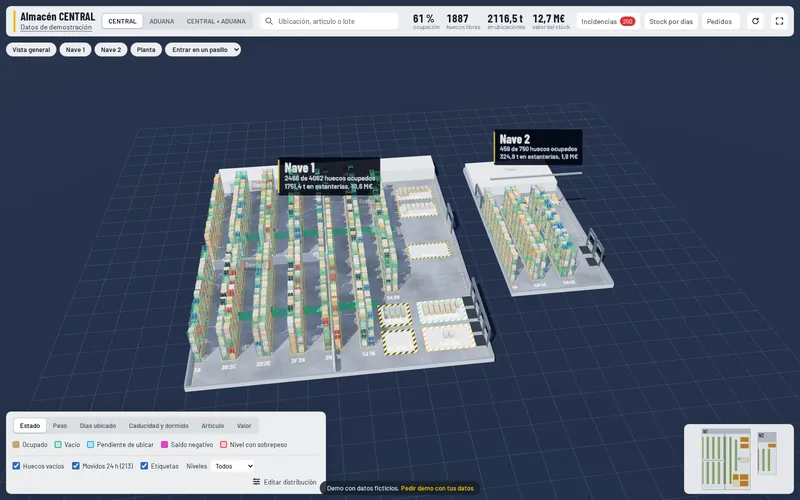
Opens in a new tab · fictional data · nothing to install
Fictional warehouse: bins, items, customers and orders in the demo are made up. The demo interface is in Spanish; the app can be delivered in English.
The problem it solves
In Business Central, bins are a list. To know what is in an aisle, where the stock for an order is, or which free bins can take a pallet's weight, you have to cross-check bin contents, warehouse entries and lots by hand, or walk over and look. And management cannot see how much value sits on each rack or what has not moved for months.
What it does
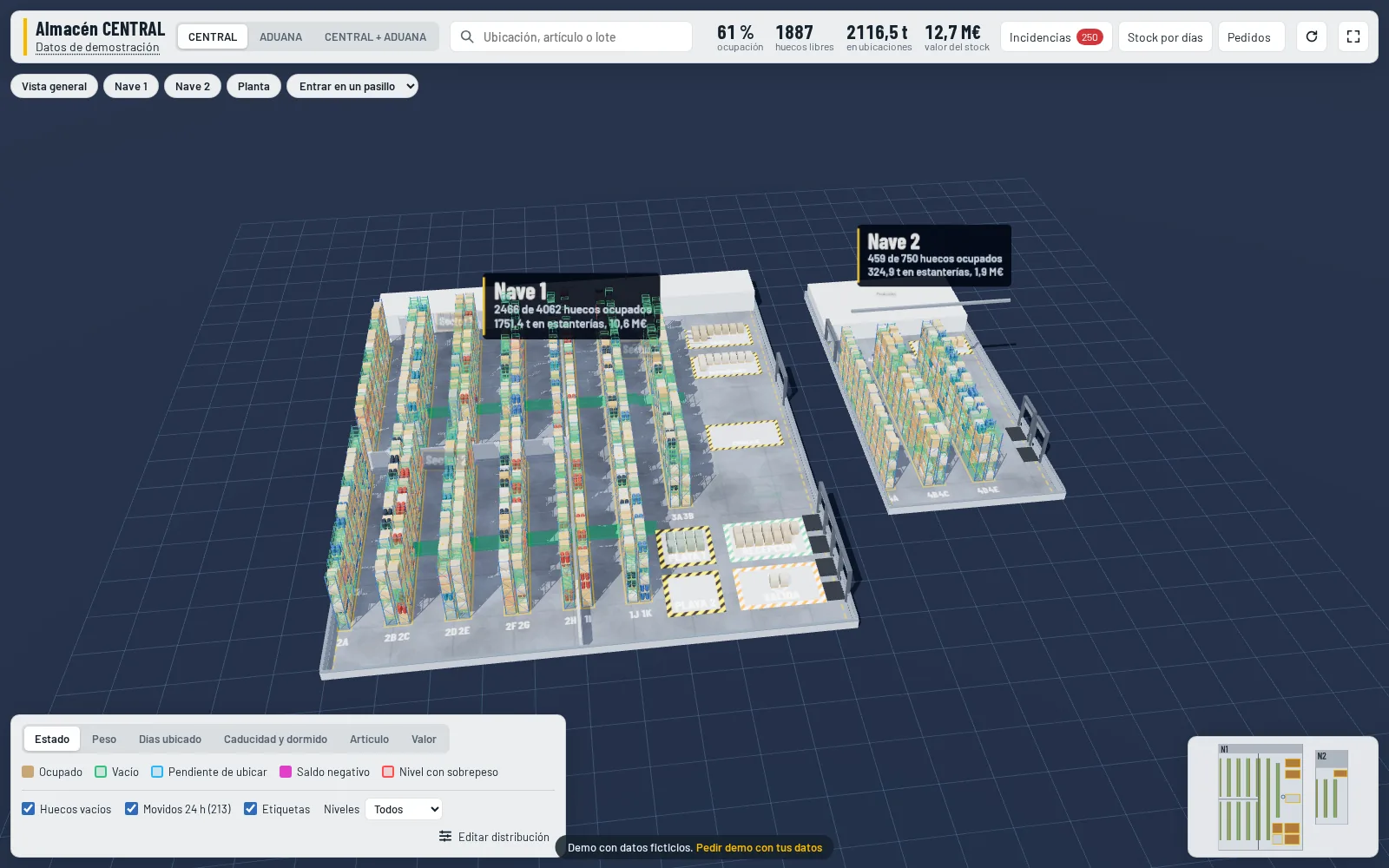
- 3D map of the warehouse built from your racking plan: buildings, aisles, firewalls, doors, loading docks and floor areas such as receiving and shipping
- Real occupancy of every bin calculated from warehouse entries, with kilos, lots and dates; several locations on the same physical racks (for example, a customs warehouse)
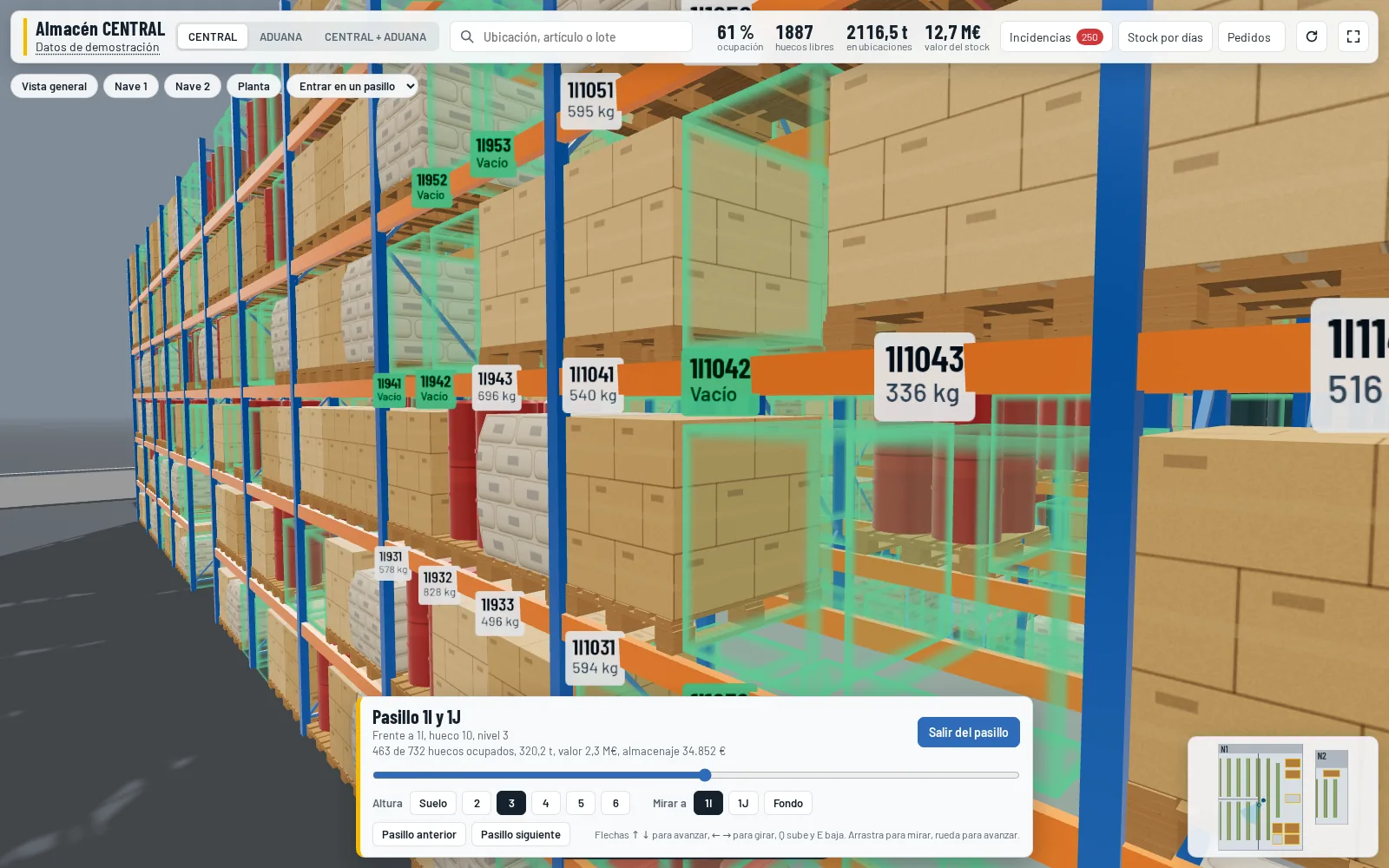
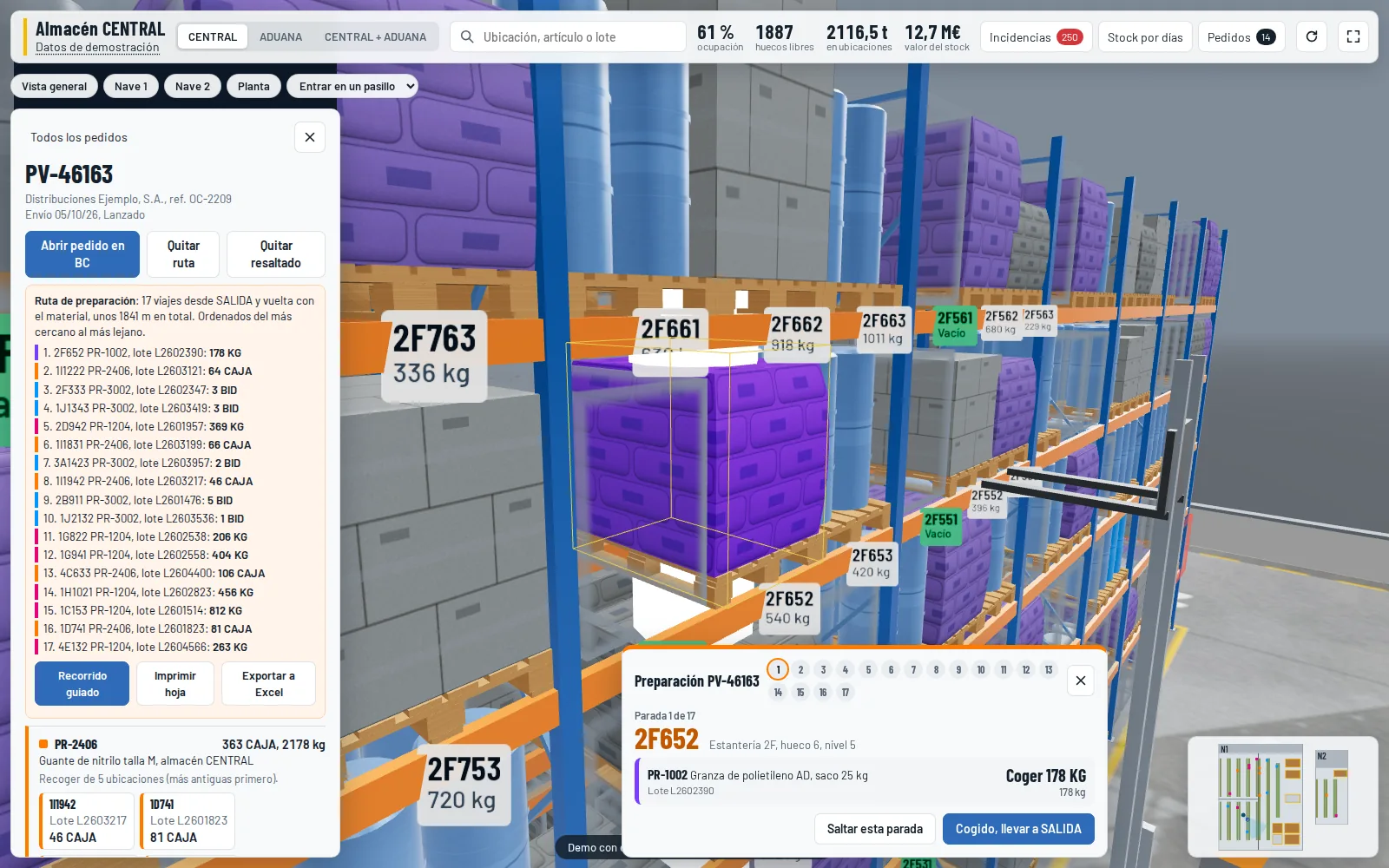
- Aisle walk: step between the racks and go up level by level to see what is stored mid-height
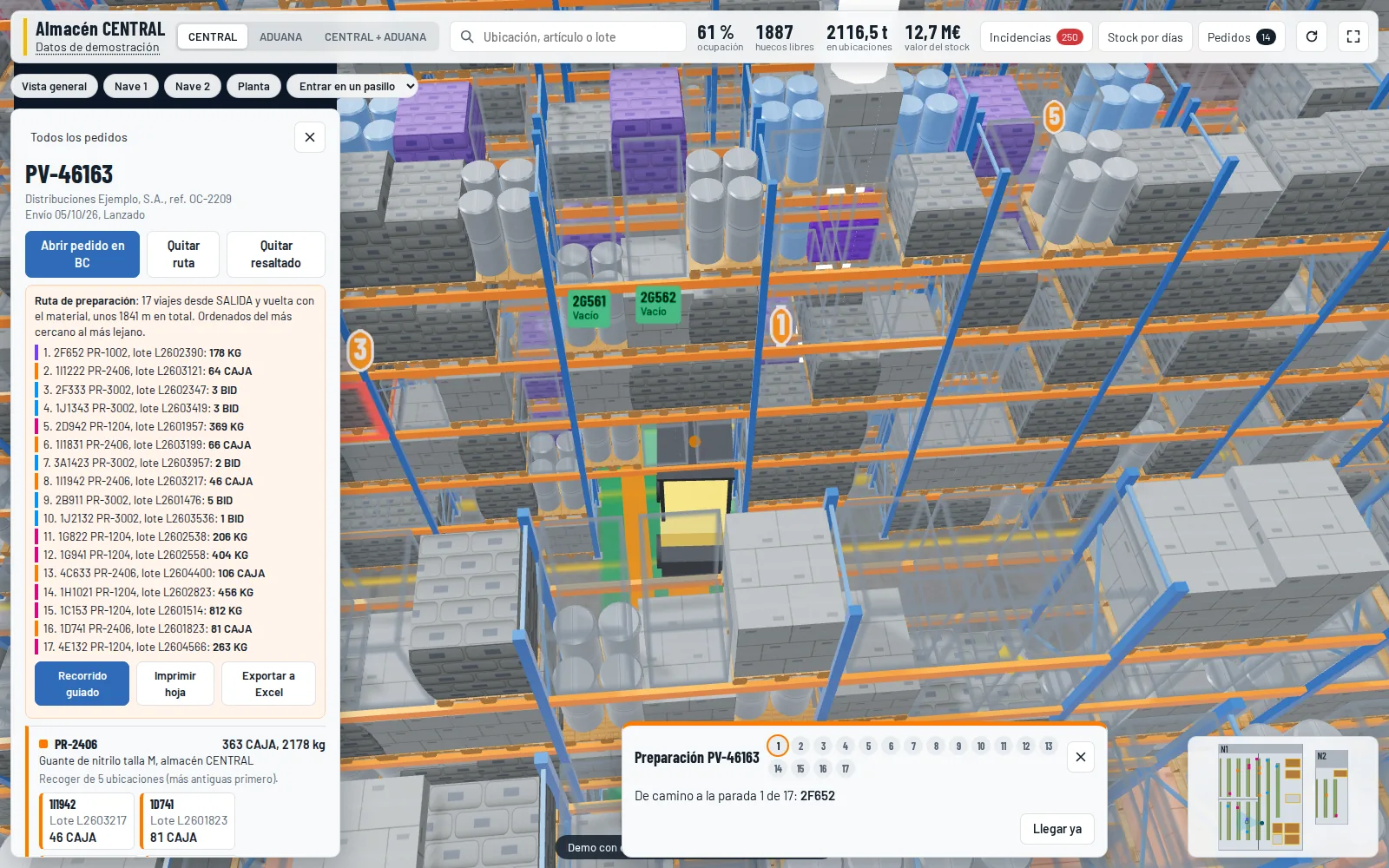
- Sales orders: the bins to pick each line from light up in colour (reserved lots first, then the oldest stock), with a pick route and a guided tour that takes each pick to the shipping area
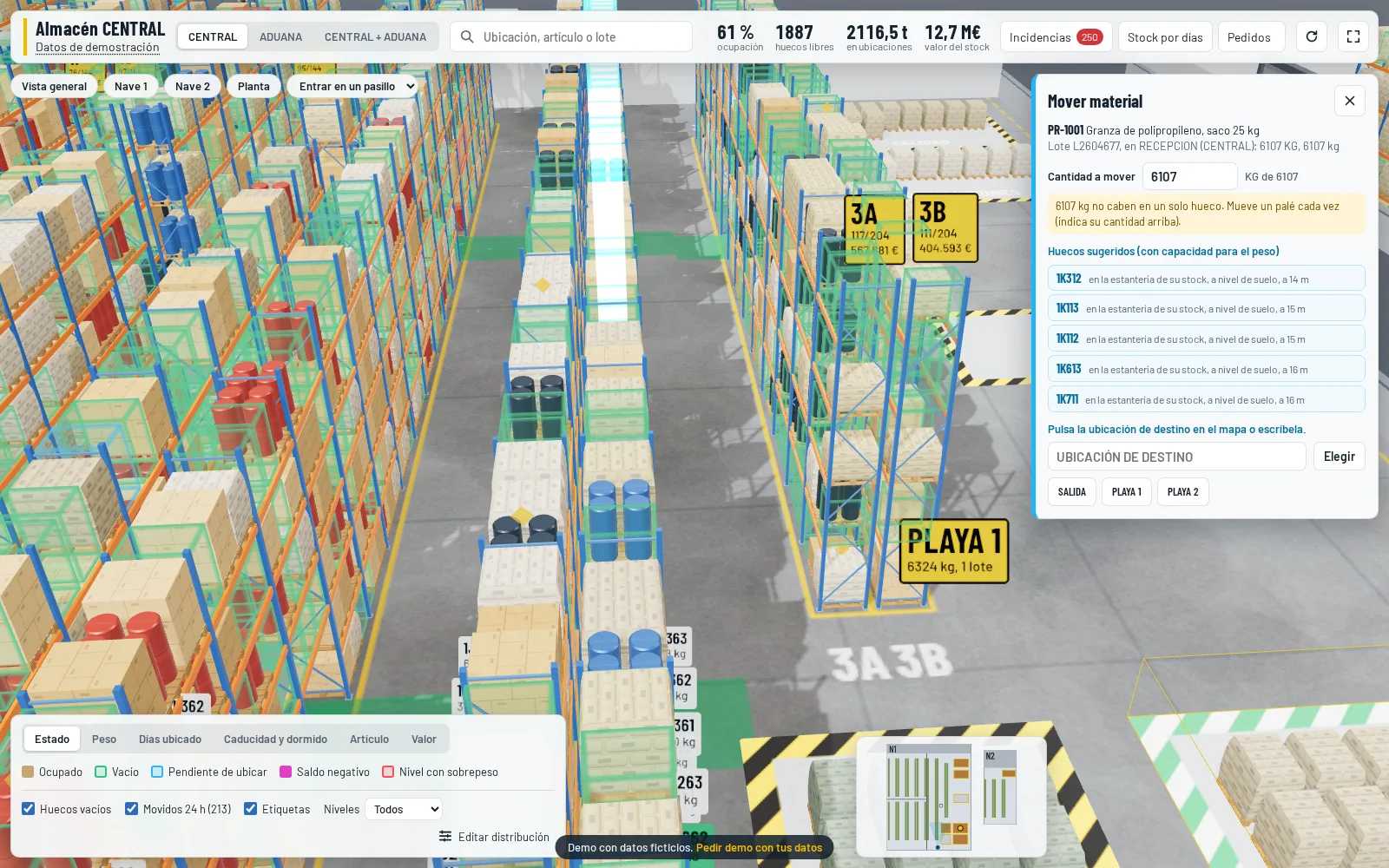
- Move stock straight from the map with the item reclassification journal, with suggested bins based on allowed weight and proximity to the same item
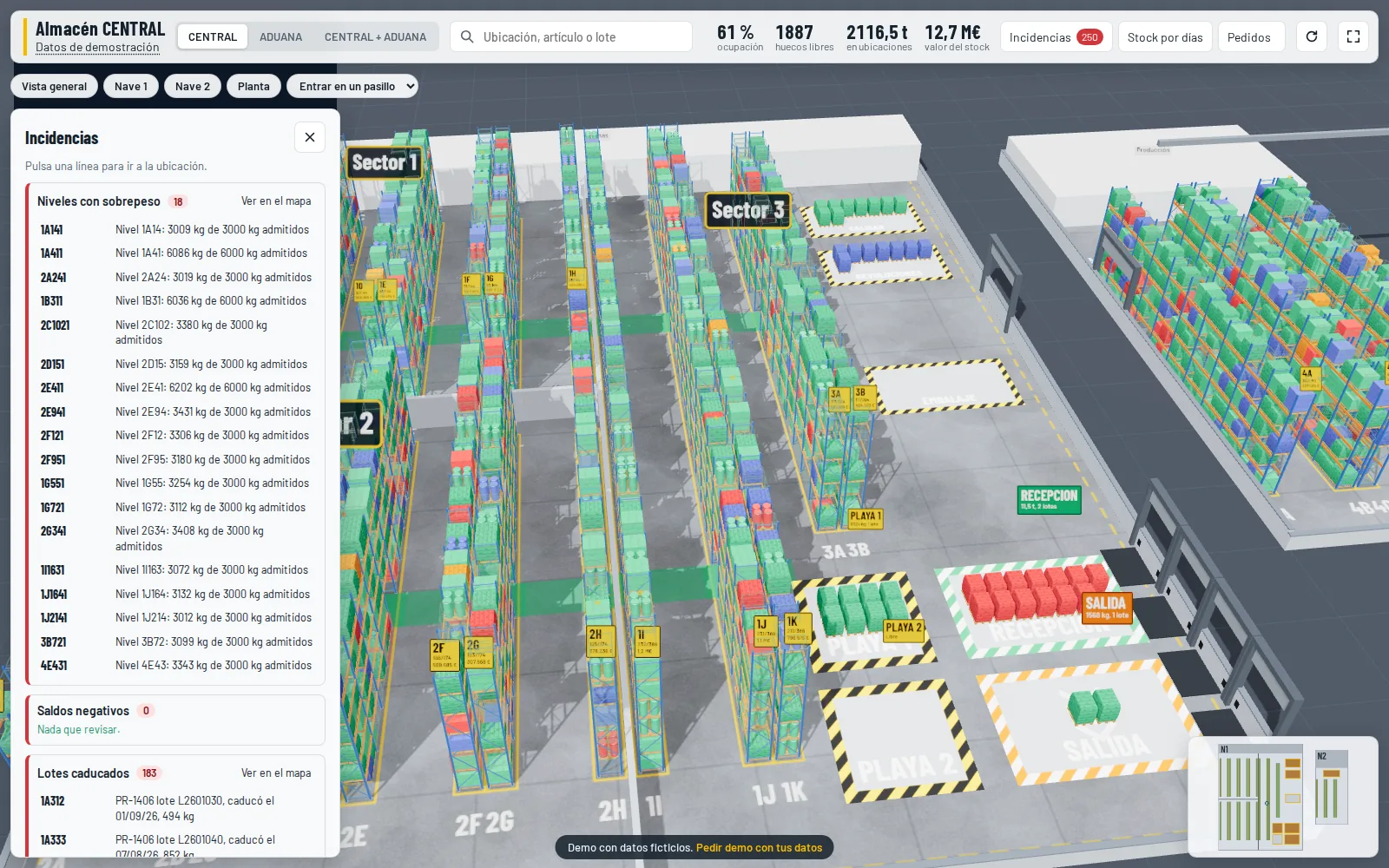
- Alerts: overweight levels, negative balances, expired or soon-to-expire lots, stock idle in receiving and blocked bins holding stock
- Stock by days in bin, expiry and dormant stock, with filters, Excel export and a view of the warehouse on any past date
- For management (authorised users only): stock value at each lot's purchase cost and storage cost per bin, rack, aisle, building and total
How it works
- We turn your racking plan into the 3D layout
- Business Central calculates the occupancy of every bin
- You move around the warehouse in 3D or walk the aisles
- You pick orders with a route and a guided tour
- You move and post stock from the map
Screenshots
Requirements
| Platform | Business Central online, version 26 or later |
|---|---|
| Data | Locations with bins; lot tracking optional |
| Plan | Racking plan in PDF or DWG (we convert it to the 3D layout) |
| Devices | Current browser with WebGL (Edge, Chrome, Safari); tablets too |
Who it is for
Distributors and manufacturers with conventional pallet racking and bins in Business Central who pick from the sales order without standard directed picking, and management teams who want to see stock value and age without asking for reports.
Price and installation
It is deployed and configured in your Business Central environment as your own extension (code in your repository, no dependency on our hosting), including turning your racking plan into the 3D layout. The price depends on scope: we agree it after a free assessment and, as with all our work, you pay for each part only after we deliver it and you accept that it works correctly.
FAQ
Do I need directed picking or advanced warehousing in Business Central?
No. It works with basic bin locations. Moves are posted with the standard reclassification journal and picking starts from the sales order.
Does data leave Business Central?
No. Everything is calculated inside Business Central and drawn in the user's browser: no external servers and no synchronisation. Costs are only sent to users allowed to see them.
How is the 3D layout built?
From your racking plan. We also detect the passages through racks and the doors, so routes follow the aisles and never cross walls. You can then fine-tune it by dragging in the 3D view.
Does it work with several locations?
Yes. You can view several locations separately or together on the same physical racks, for example a standard warehouse and a customs warehouse.
Does the demo use real data?
No. It is a fictional warehouse with made-up items, customers and orders.
Open the demo
Leave your email and the demo opens in a new tab. We only use it to write to you about this app; no newsletters.
Ask for a demo with your data or a quote
We reply within one working day. No commitment.