Sales & Shipping Analytics
App for Microsoft Dynamics 365 Business Central · Publisher: Abadyn · Sales · Logistics · Management
EXTENSION · INSTALLED IN YOUR ENVIRONMENT
Interactive territory map, on-time and delayed shipping statistics, and the timeline of every order from PO to shipment. Inside Business Central, on your own data.
Try it now in your browser → Live demo with sample data, no sign-up.
Opens in a new tab · fictional data · nothing to install
The problem it solves
Sales and shipping data already live in Business Central, but management ends up looking at spreadsheets, at a territory poster that is out of date, or at a monthly slide deck built by hand. Nobody knows for sure how long an order really takes from the moment the PO arrives until it ships, or in which stage the time is lost.
What it does
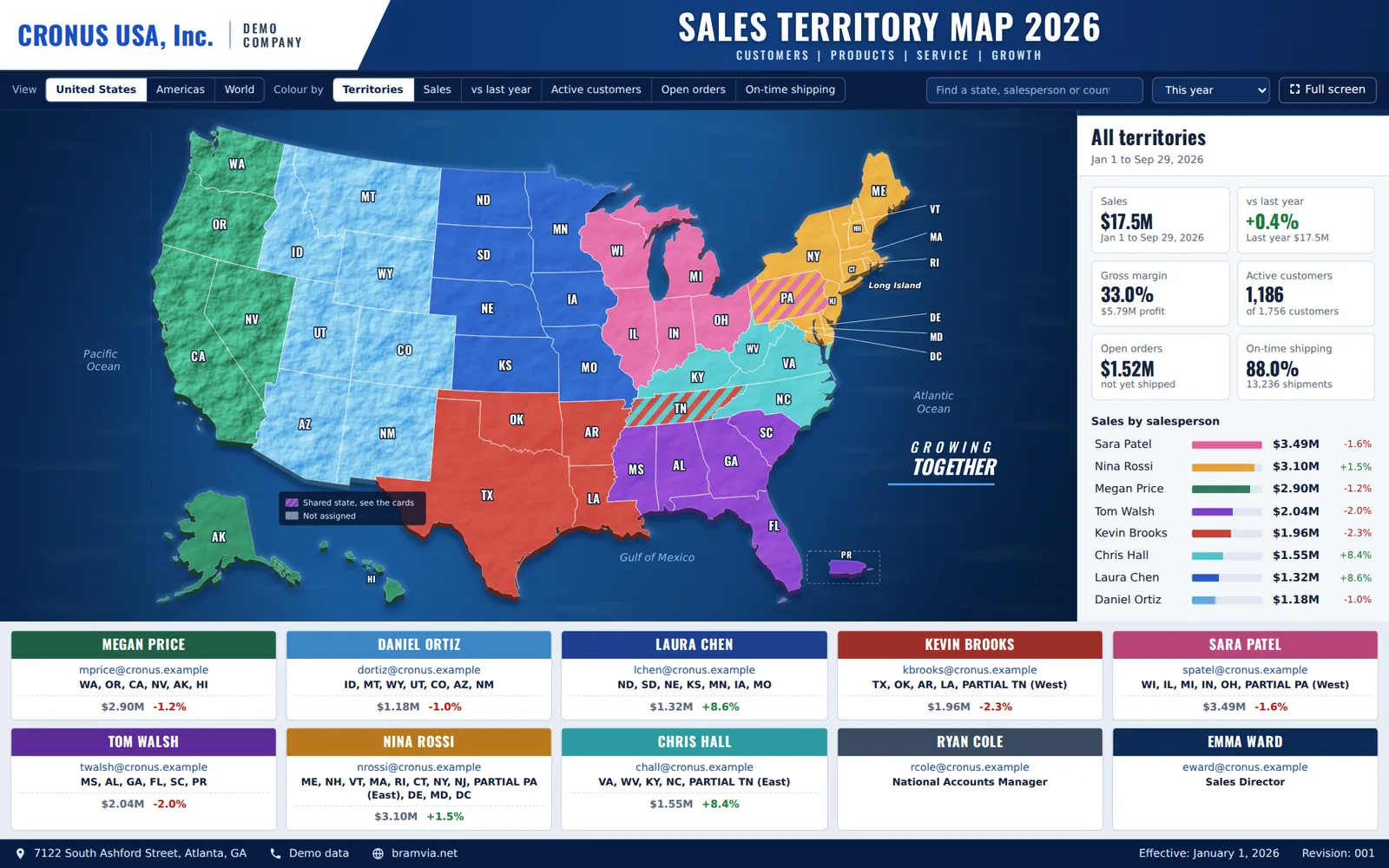
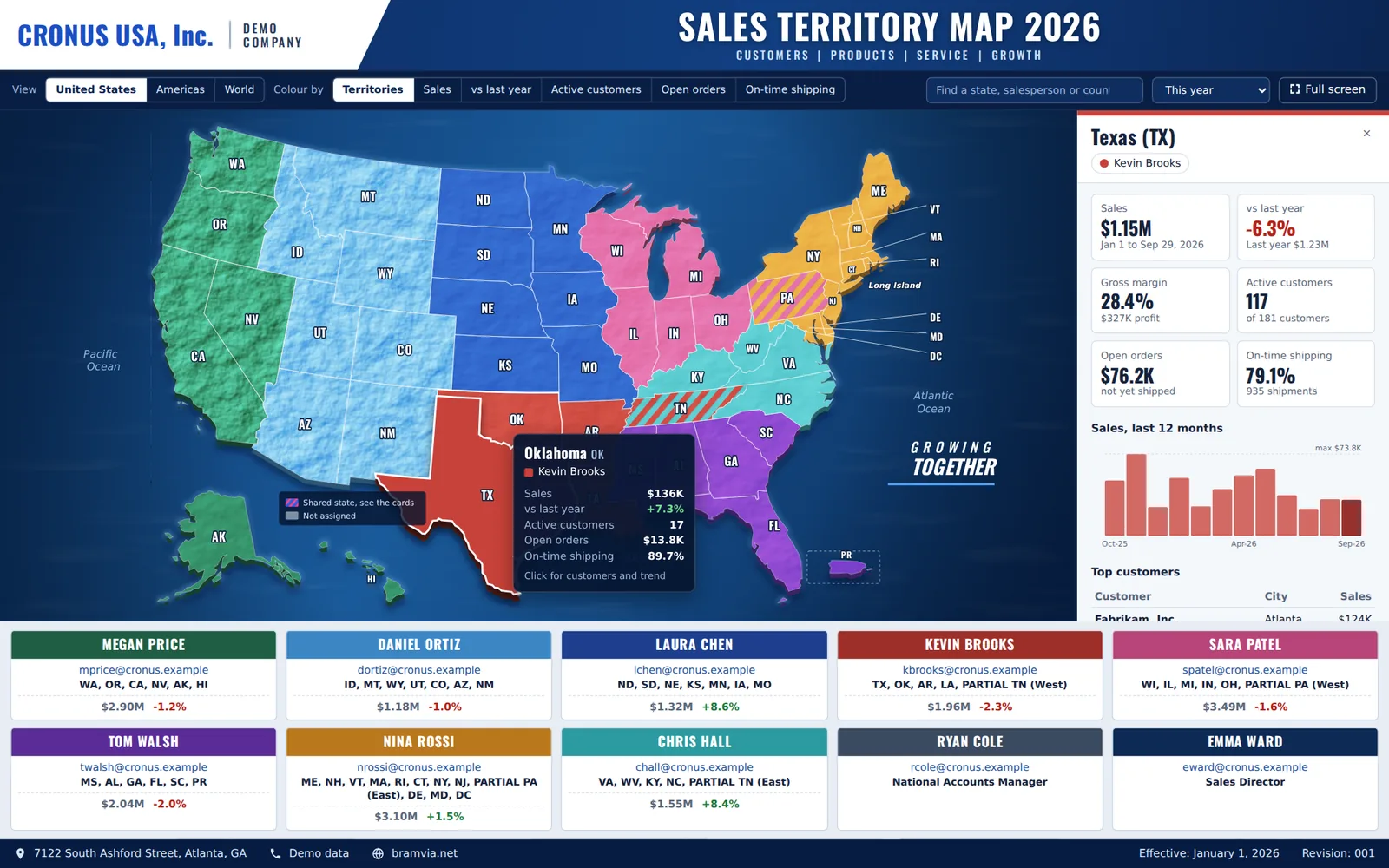
Sales territory map
- US map with each salesperson's territory, shared states and a card per salesperson
- Heat map by sales, growth against last year, active customers, open orders or on-time shipping
- Point to a state for its figures; click it for 12 months of sales, top customers and direct links to customers, orders, invoices and shipments
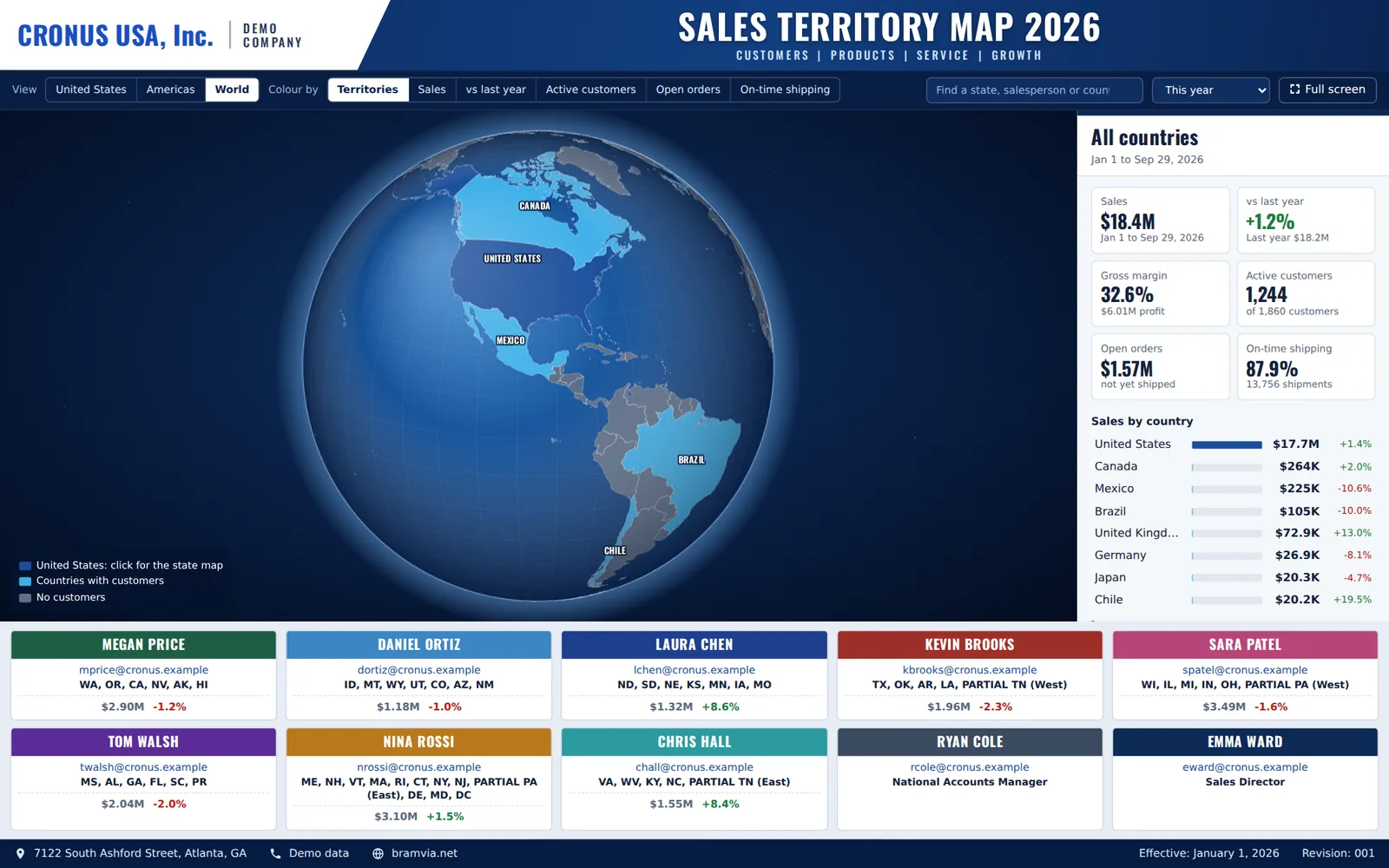
- Americas view and an interactive globe with sales by country
- Each salesperson sees only the figures of their own territory
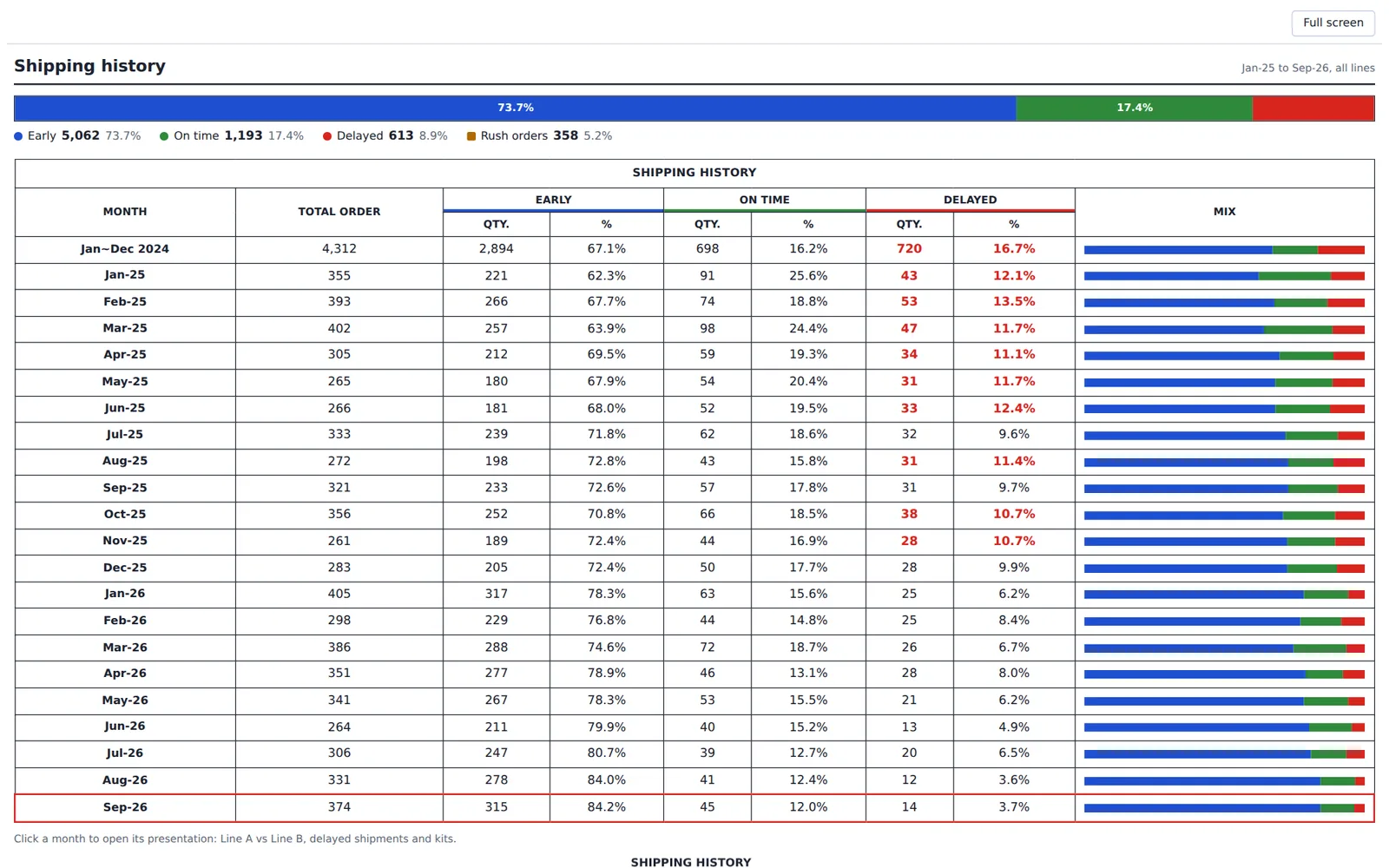
Shipping statistics
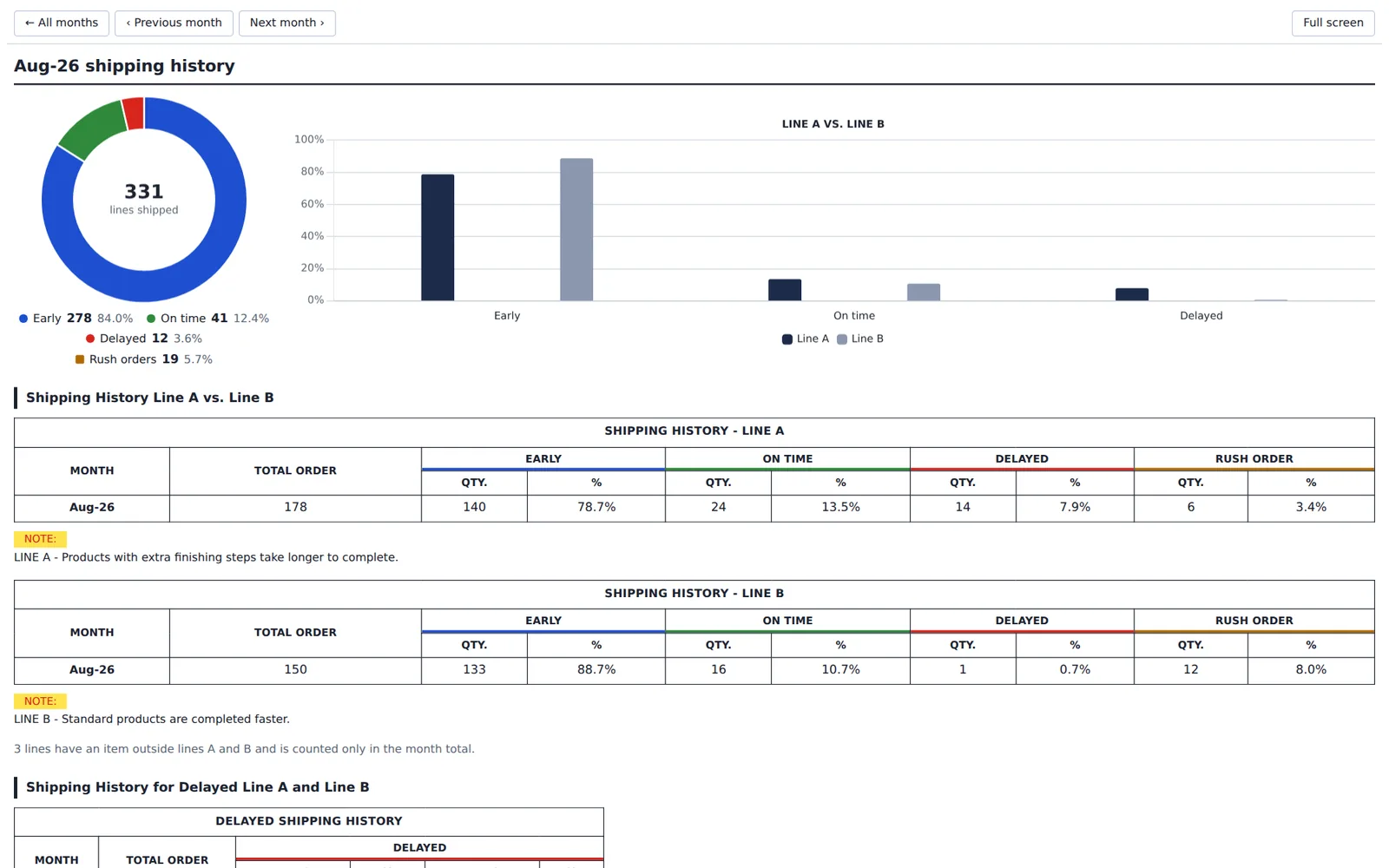
- Early, on-time and delayed shipments month by month, against the promised shipping date
- By product line, kits and rush orders, with an alert when delays exceed your threshold
- A monthly presentation ready for the meeting, full screen, with no slides to prepare
Order to shipment
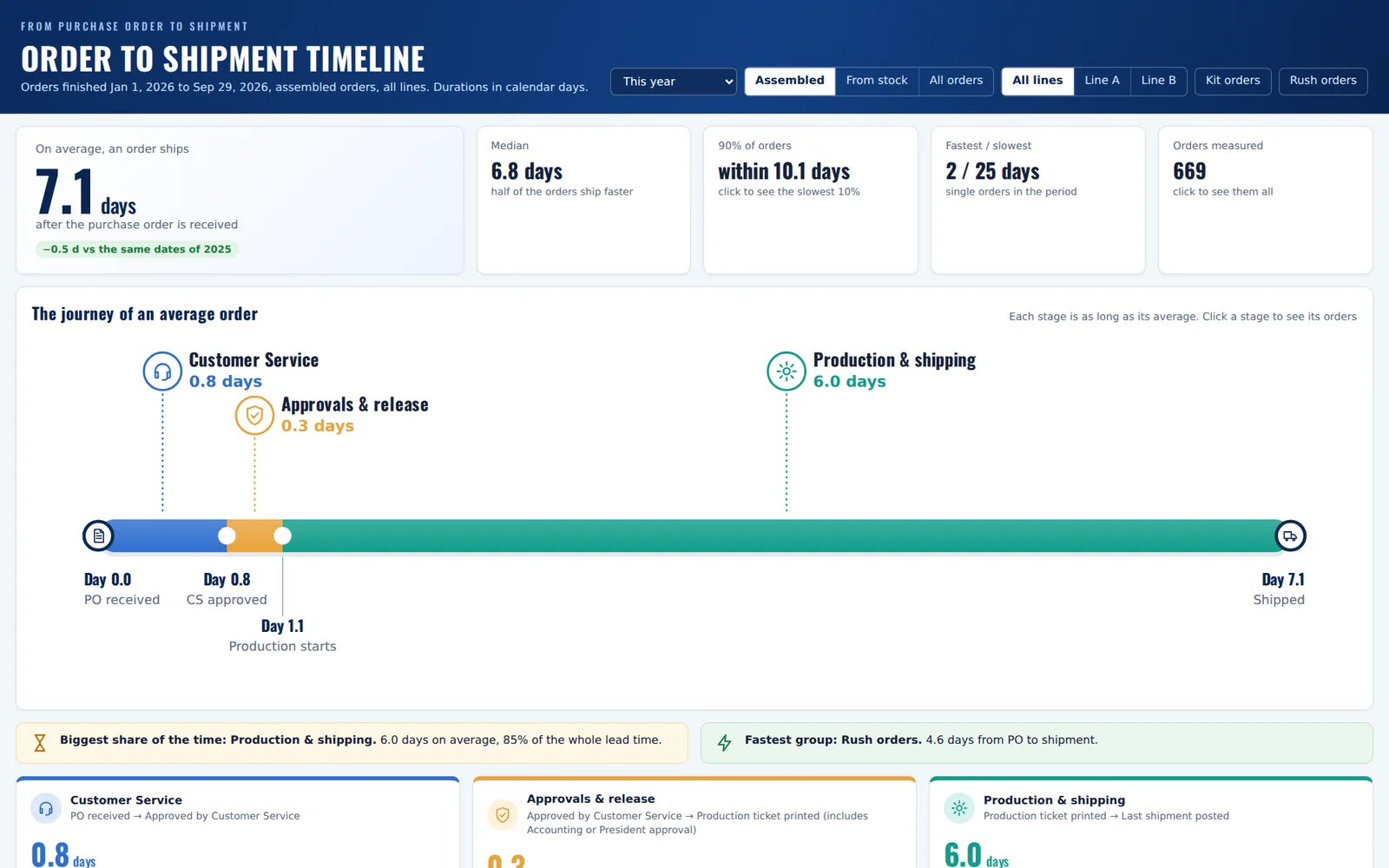
- Days from PO received to the last shipment, split into stages: customer service, approvals and release, production and shipping
- Median, 90th percentile, comparison with the same period last year and the slowest orders
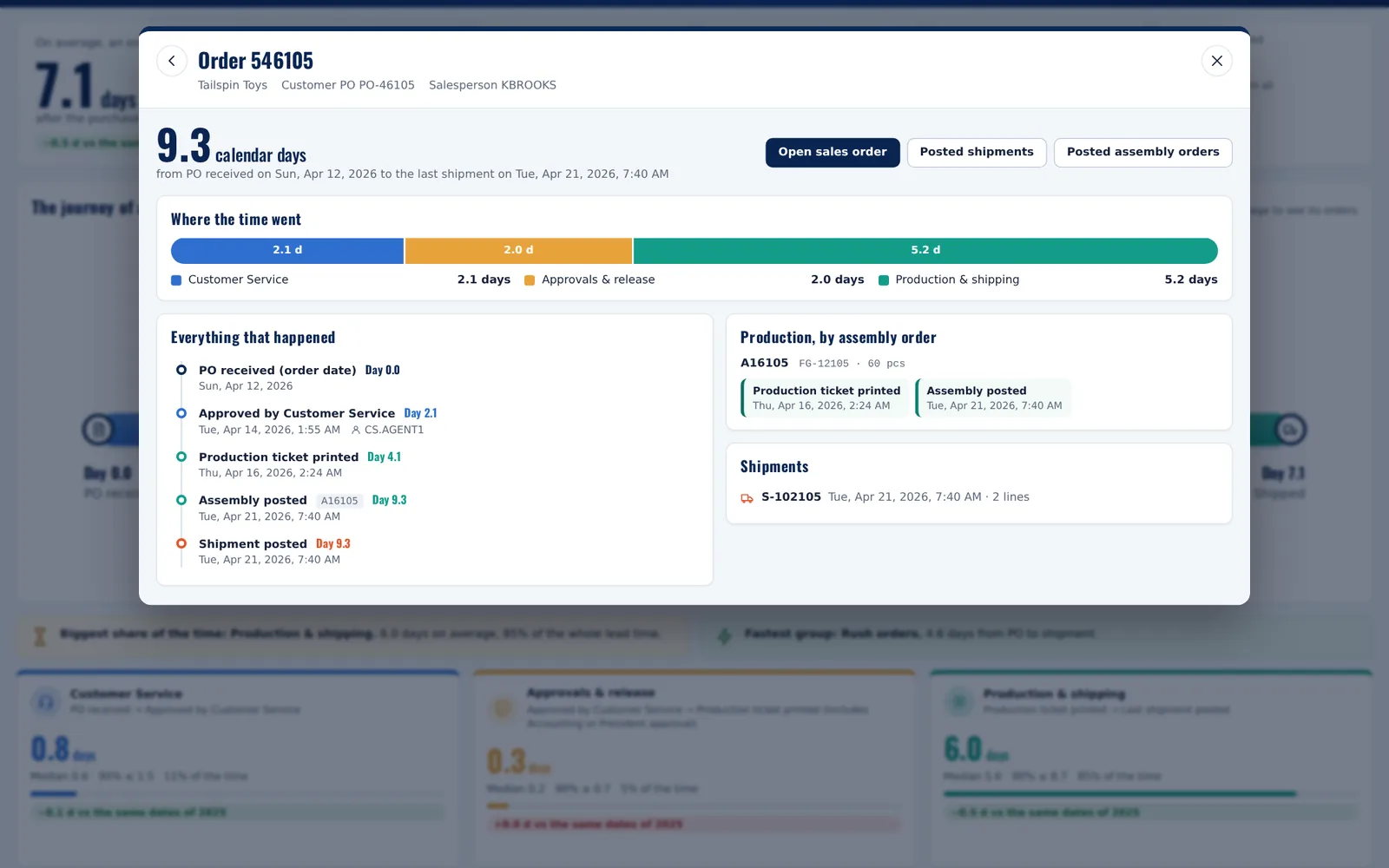
- Click any figure to see the orders behind it, and any order for its full timeline: approvals with user and time, production start, assemblies and shipments
- Calendar or working days, following the company calendar
How it runs
- Everything inside Business Central: pages, Role Center and links to the documents
- Nightly refresh in the background and history loaded month by month, without blocking users
- From installation it records every step of an order (approvals, production start, shipments), even where Business Central does not keep it by default
How it works
- Posted shipments
- Nightly refresh
- Figures by state, month and order
- Maps and dashboards in Business Central
- Click through to the document
Screenshots
Requirements
| Platform | Business Central online |
|---|---|
| Licences | Business Central users; no Power BI or extra licences needed |
| Data | Sales orders and posted shipments. For the production stage, assemble-to-order orders |
Who it is for
Distributors and manufacturers with a territory-based sales team who want to see sales, on-time shipping and lead times without building reports by hand, and managers who want to know where time is lost between the order and the shipment.
Price and installation
Installed and configured in your Business Central environment as your own extension (code in your repository, no dependency on our hosting). Territories, stages and indicators are adapted to the way you work. The price depends on the scope: we agree it after a free assessment and, as with all our work, you pay for each part only after it is delivered and you accept that it works correctly.
Frequently asked questions
Do I need Power BI?
No. The maps, statistics and timeline run inside Business Central, with each user's permissions.
Does it work with my historical data?
Yes. It loads history from the date you choose. Steps that Business Central did not keep before installation are shown as "not recorded", and the total days from order to shipment are always complete.
Can territories and stages be adapted?
Yes. Territories are maintained in Business Central (salesperson by state, shared states, colours), and the timeline stages are defined with your process.
What if I sell outside the US?
The map includes the US, the Americas and the world by country. A map by provinces or regions is an adaptation we assess with you.
Does it slow Business Central down?
No. The heavy calculations run in a nightly job and in the background, and the Role Center loads first without waiting for the figures.
Open the demo
Leave your email and the demo opens in a new tab. We only use it to write to you about this app; no newsletters.
Ask for a demo with your data or a quote
We reply within one working day. No commitment.